---
title: "Google Documents the Referer Values Its Search Traffic Sends"
description: "A new Google Search Central page lists the Referer values Google Search sends and why analytics will not match Search Console."
tldr: "The Referer header, which tells a site where a visit came from, shows only Google's own address for a click from Google Search, such as https://www.google.com/, and never the search term. Google documented this existing behaviour on a page added on 12 November 2026. Discover and Google Images send the same values, so the referrer cannot separate them from Search. If Google organic traffic shows as referral or direct, Google says to check custom channel rules, referral exclusions and filters."
publishDate: 2026-11-16
author: "Liam Hayward"
---
Google added a page to its Search Central documentation on 12 November 2026, "Identify Google Search traffic in your web analytics or server logs". Google's changelog lists it as added documentation, not a change in what Google sends. It states that Google Search uses the `origin` referrer policy, so the `Referer` header carries only the scheme and host of the page the click came from: the `https://` at the start of the address and the site name after it. Everything after that, including the search term, is dropped. The values Google lists, by where the click happened:
| Where the click happened | Referer value |
|---|---|
| Google Search on the web | `https://www.google.com/` or a local Google domain, such as `https://www.google.co.uk/` |
| Google app on iOS | `https://www.google.com/` or a local Google domain |
| Google app on Android | `https://www.google.com/` or a local Google domain, or `android-app://com.google.android.googlequicksearchbox/https/www.google.com` when the app opens the link in a browser tab |
## Can you tell Discover and Google Images traffic apart from Search?
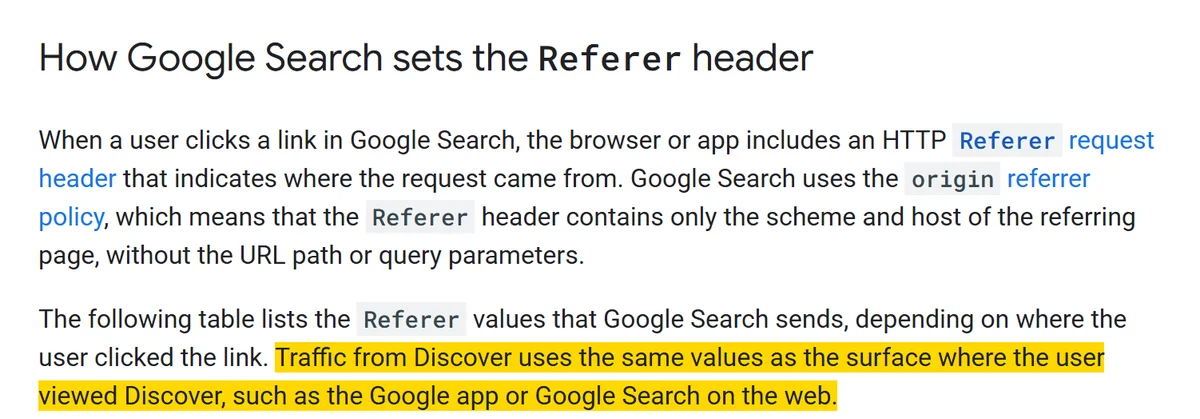
Not from the referrer. The page says Discover traffic "uses the same values as the surface where the user viewed Discover", and that other Google services served from the same origins, such as Google Images, send the same values too. Google began moving Discover in Chrome from a `www.googleapis.com` referrer to `https://www.google.com/` in February 2021, to match the Google app.
The opening of Google's page added on 12 November 2026. The sentence on Discover traffic is highlighted.
Search Console splits them: Discover has its own performance report, and the Search results report has a search type filter for web and image results. The page does not mention AI Overviews or AI Mode.
## What should you check in analytics and server logs?
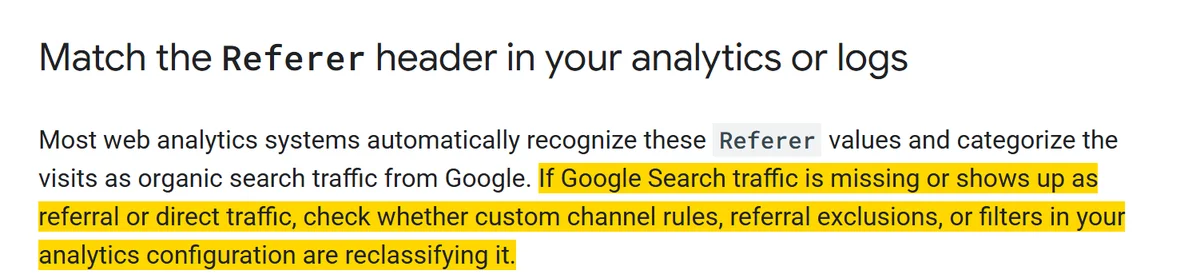
Google says most analytics systems recognise these values as organic search from Google, and that if Google Search traffic shows up as referral or direct, custom channel rules, referral exclusions or filters may be reclassifying it.
The analytics section of the same page. The sentence on custom channel rules, referral exclusions and filters is highlighted.
For server logs, count only requests for landing pages, because images, CSS and JavaScript files carry your own page's URL as their referrer. The page also names site-side causes of lost attribution: client-side redirects, such as JavaScript or `meta refresh`, that replace the referrer with your own URL, and redirects that send a stricter `Referrer-Policy` header.
It lists why analytics visits will not match Search Console clicks one to one: privacy settings and extensions that strip the header, and Search Console recording a click when the link is selected while analytics records a visit only once the page loads and runs its tracking code. The other sources of unattributed visits are covered in dark traffic and attribution.
## Sources
- [Identify Google Search traffic in your web analytics or server logs, Google Search Central](https://developers.google.com/search/docs/monitor-debug/identify-google-search-traffic)
- [Latest Google Search documentation updates, Google Search Central](https://developers.google.com/search/updates)
- [Search Console Discover report now includes Chrome data, Google Search Central Blog](https://developers.google.com/search/blog/2021/02/search-console-performance-discover-chrome)
- [Understanding data discrepancies between Google Analytics and Search Console, Google Search Central](https://developers.google.com/search/docs/monitor-debug/google-analytics-search-console)