Google Analytics 4 Adds Include Filters for Hostnames
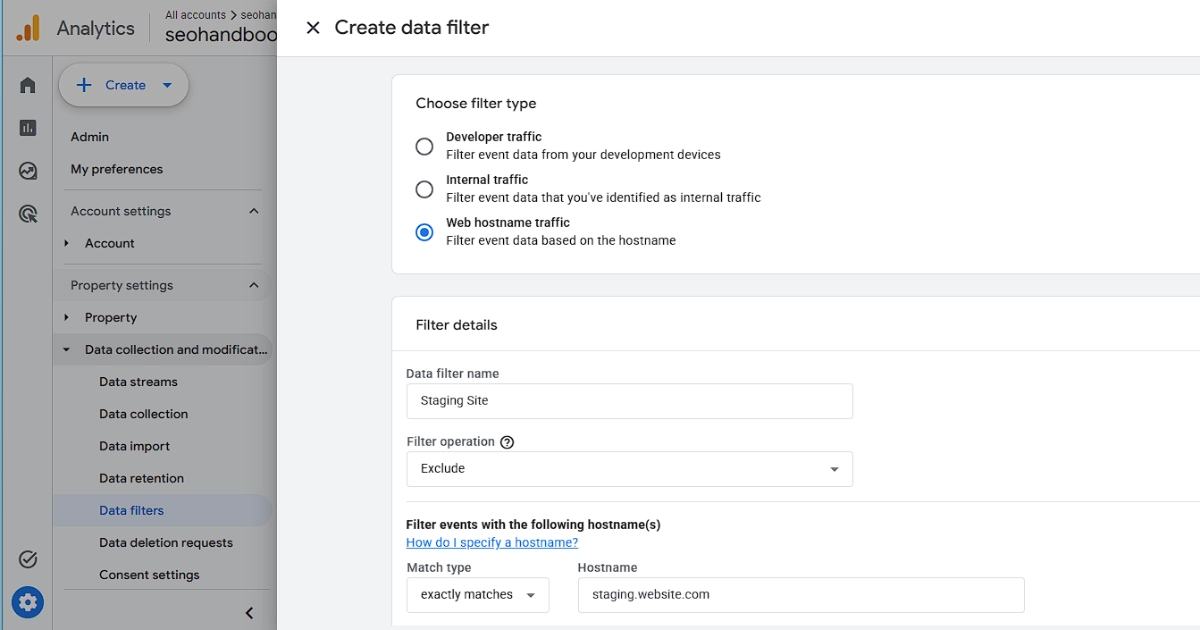
Google Analytics 4 now supports Include data filters for hostnames, so a property can list the domains it will keep event data from. A 21 September 2026 entry on Google’s “What’s new in Google Analytics” page records the change. Until now hostname filtering could only exclude: Google added the filter type on 11 June 2026, and at that point it only let you “filter out (exclude) events based on their hostname”. With an Include filter you define the approved hostnames instead, which Google frames as ending the upkeep an exclude list needs, since an allowlist does not have to be edited every time a new spam hostname appears. Two behaviours are worth knowing before you switch one on: Include filters are not applied to events sent through the Measurement Protocol, and events that arrive with no hostname at all are blocked, which Google says “typically indicates spam or abnormal traffic”. GA4 repeats both points as a caution on screen when you pick the option.
The usual reason to want one is a GA4 tag reporting from somewhere it should not. A staging copy at staging.example.com, a preview deployment on your host’s own subdomain, or a scraper that copied your pages with the tag still in the markup all send events into the same property. With an Exclude filter each one has to be spotted and added before it stops; with an Include filter you list www.example.com once and all three are dropped, including copies you have not found yet. The flip side is that it also drops any legitimate hostname you forget, so list every one that serves real pages: the bare domain as well as www, a shop. or blog. subdomain, a checkout on a separate domain.
Set it up under Admin, then Data filters, by creating a Web hostname traffic filter and choosing “Include only” as the filter operation. Several Include only filters are combined, so a hostname listed in any one of them is kept, and together they run before any Exclude filters. Test it first. Data filters act on incoming data only, so they never clean up historical reports, and once a filter is Active the effect is permanent, with filtered events that “will never be available in Google Analytics or BigQuery”. Google’s own advice is to run the filter in its Testing state, which tags matching events rather than dropping them, before activating, and to allow 24 to 36 hours for it to take effect. The release note gives no rollout details, and on 24 September Google’s hostname filter setup page still described the feature as exclude-only, although the option was live in this site’s own GA4 property that day. If Include only is missing from your Filter operation dropdown, it has not reached your property yet.
Sources
More news
-
Shopify Changes How It Counts Sessions, Moving Conversion Rates
Shopify Analytics changed how it counts sessions from 21 September 2026, so conversion rate can move with no change in orders or sales.
-
Search Console Now Reports Searches Made With Lens and Circle to Search
A new Web: multimodal search type in Search Console shows traffic from Google Lens, Circle to Search, image uploads and Chrome's Search this image.
-
Google Adds Four Experimental Ad-Experience Metrics to CrUX
Google has added four experimental ad-experience metrics to the CrUX field dataset, measuring how a page's ads affect real users' page experience.
