Google Maps Moves the Business Profile Message Button Next to Call
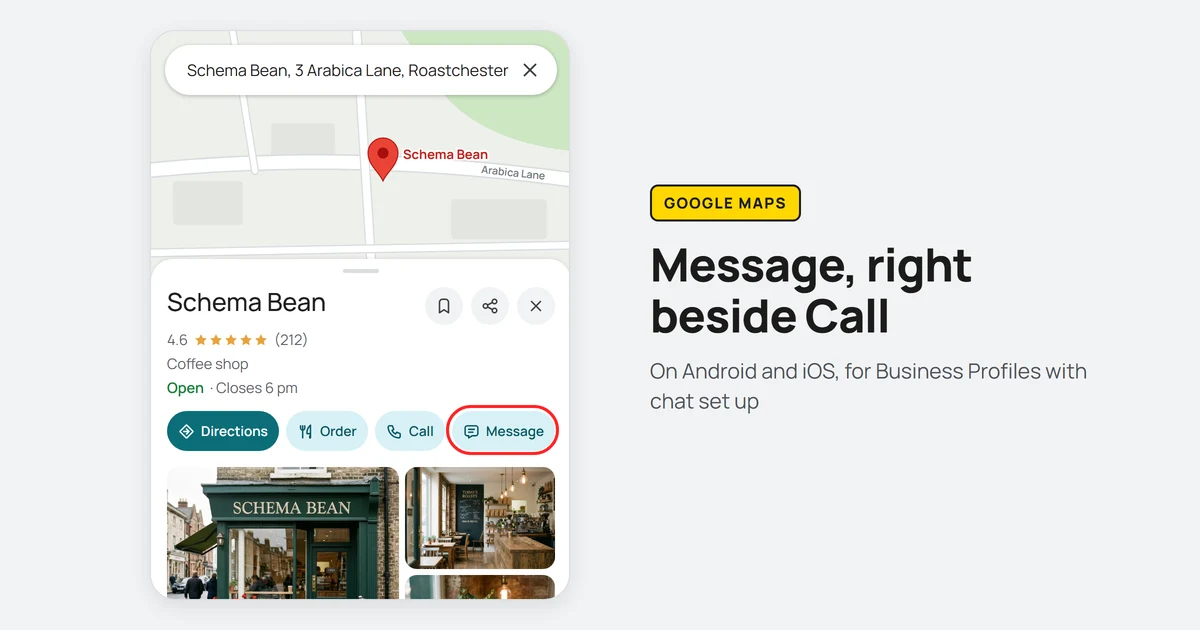
Google has moved the chat option on Business Profiles to the top of Google Maps listings. Lisa Landsman, Google’s head of industry engagement and SMB success, wrote in Google’s Small Business Bulletin of 5 November 2026 that customers on Android and iOS “can now find a prominent Message button right next to ‘Call’ on your Google Maps listing”, where before “finding chat on Maps required scrolling deep down into your profile”. The button appears in the profile, the expanded header and the bottom action bar, and it opens whichever chat channel the business has set up, including WhatsApp and text. Google’s chat help page says chat is available in select regions only, and that a profile with both WhatsApp and text set up shows customers the text option alone.
What should you check on profiles with chat enabled?
Send a test message through the Message button on every profile you manage that has chat set up, and confirm it reaches an inbox someone reads. With the button beside Call, a broken WhatsApp link, a number that no longer takes texts or a chat nobody answers is in front of every customer who opens the listing on Maps, not only the few who scrolled down to find it. Where both channels are set up, test text, because that is the one customers see. If nobody at the business can answer messages, remove the chat option rather than leave a prominent button that goes unanswered. Messages also appear among the profile metrics Google Analytics 4 imports through its Business Profile integration, which is where to see whether the move brings more of them.
Sources
More news
-
Restaurants Can Now Switch Off Third-Party Ordering Providers in Google Business Profile
Restaurants can now turn individual ordering providers off for pickup, delivery or both from the Business Profile dashboard, without asking the provider.
-
Google Tells Platforms to Keep Link-Shared Pages Out of Search
Google's user-generated spam guide now covers AI tools and share-link products, and says pages made for sharing should stay out of the index by default.
-
JPEG XL Now Works in Chrome, but Not in Google Images or Discover
Chrome 155 displays JPEG XL images, but Google Images and Discover previews do not support them. Keep a JPEG, WebP or AVIF fallback in the img tag.